

Can I use an audio mixer with a cello?
As an audio mixer supplier, I often get asked a variety of questions from musicians, sound engineers, and enthusiasts alike. One question that has been popping up more frequently lately is whether one can use an audio mixer with a cello. In this blog post, I'll delve into this topic, exploring the feasibility, benefits, and considerations when using an audio mixer with a cello.
The Feasibility of Using an Audio Mixer with a Cello
First and foremost, the answer is a resounding yes. You can absolutely use an audio mixer with a cello. The cello, being a beautiful and versatile instrument, can greatly benefit from the capabilities of an audio mixer. An audio mixer allows you to control and manipulate the sound of the cello in ways that would be difficult or impossible to achieve otherwise.
When a cello is played, the sound it produces needs to be captured and then adjusted to fit the desired acoustic environment. This is where an audio mixer comes in. It can take the raw signal from the cello, whether it's through a microphone or a direct connection, and process it. You can adjust the volume, tone, and add effects to enhance the overall sound quality.
Benefits of Using an Audio Mixer with a Cello
1. Volume Control
One of the most obvious benefits is volume control. In a live performance setting, the cello might not be loud enough to be heard clearly over other instruments or in a large venue. With an audio mixer, you can easily increase the volume of the cello to ensure that it is heard. You can also balance the volume of the cello with other instruments in an ensemble, creating a harmonious sound.
2. Tone Shaping
The audio mixer allows you to shape the tone of the cello. You can adjust the bass, mid - range, and treble frequencies to bring out the best in the instrument's sound. For example, if you want a warmer, more mellow sound, you can boost the bass frequencies. On the other hand, if you want a brighter, more articulate sound, you can increase the treble.
3. Effects Addition
Many audio mixers come with built - in effects such as reverb, delay, and chorus. These effects can add depth and character to the cello's sound. Reverb can simulate the acoustics of different environments, making the cello sound like it's being played in a large concert hall or a small intimate room. Delay can create a repeating echo effect, which can be used for creative purposes.
4. Multiple Inputs and Outputs
Audio mixers typically have multiple input channels. This means that you can connect not only the cello but also other instruments or audio sources simultaneously. For example, if the cellist is performing with a pianist, both instruments can be connected to the mixer and their sounds can be combined and adjusted as needed. Additionally, mixers have multiple output options, allowing you to send the mixed signal to speakers, headphones, or recording devices.
Considerations when Using an Audio Mixer with a Cello
1. Connection Method
There are two main ways to connect a cello to an audio mixer: using a microphone or a direct connection. Using a microphone can capture the natural sound of the cello in a more organic way. However, it can also be affected by background noise and feedback. A direct connection, on the other hand, is more stable and less prone to interference. You can use a pickup installed on the cello to send a direct signal to the mixer.
2. Audio Mixer Selection
When choosing an audio mixer for a cello, you need to consider several factors. The number of channels is important. If you plan to use the mixer for solo cello performances, a mixer with fewer channels may be sufficient. However, if you want to use it in an ensemble setting, you'll need a mixer with more channels. For example, our 16 Channel Powered Mixer is a great option for larger setups, while the 12 Channel Powered Mixer can be suitable for more intimate performances.

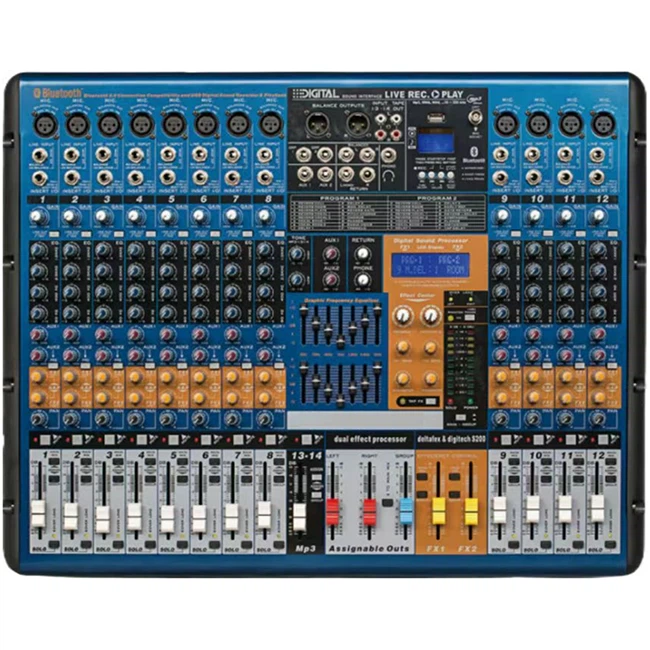
You also need to consider whether you want an analog or digital mixer. Analog mixers offer a more natural and warm sound, while digital mixers provide more precise control and often come with more advanced features. Our 16 Channel Analog Mixer is a popular choice for those who prefer the classic analog sound.
3. Setup and Calibration
Proper setup and calibration of the audio mixer are crucial. You need to make sure that the gain levels are set correctly to avoid distortion. You also need to adjust the EQ settings based on the characteristics of the cello and the performance environment. It may take some time and experimentation to get the perfect sound.
How to Connect a Cello to an Audio Mixer
Using a Microphone
If you're using a microphone, place it in front of the cello at an appropriate distance and angle. Connect the microphone to a microphone input on the audio mixer. Make sure to set the gain level on the mixer so that the signal is strong enough but not distorted. You can then adjust the volume, tone, and other settings as needed.
Using a Direct Connection
If you're using a pickup on the cello, connect it to a line input on the audio mixer. Again, adjust the gain level to get a clean signal. You may need to use a DI (Direct Inject) box if the output impedance of the pickup and the input impedance of the mixer are not compatible.
Conclusion
In conclusion, using an audio mixer with a cello is not only possible but also highly beneficial. It allows you to enhance the sound of the cello, control its volume and tone, and add creative effects. Whether you're a professional cellist, a music teacher, or an amateur musician, an audio mixer can take your cello performances to the next level.
If you're interested in purchasing an audio mixer for your cello or have any questions about our products, we encourage you to reach out to us for a procurement discussion. We have a wide range of audio mixers to suit different needs and budgets, and our team of experts is ready to assist you in making the right choice.
References
- "Audio Mixing Handbook" by Bobby Owsinski
- "The Art of Sound Reinforcement" by David Miles Huber and Robert E. Runstein