

Hey there, fellow streamers and tech enthusiasts! I'm super stoked to share some tips on how to use a projection speaker for live streaming. As a projection speaker supplier, I've seen firsthand how these nifty devices can take your live streams to the next level. So, let's dive right in!
What is a Projection Speaker?
First things first, you might be wondering what a projection speaker actually is. Well, it's a speaker that not only plays audio but also projects images or videos. It combines the functionality of a speaker and a projector, which is pretty cool, right? You can use it to display visuals related to your live stream, like slides, product demos, or even just some cool background images.
Setting Up Your Projection Speaker
The first step in using a projection speaker for live streaming is setting it up correctly. Here's what you need to do:
- Choose the Right Location: Find a spot where you can place the projection speaker so that it has a clear path to the projection surface. Make sure there are no obstructions between the speaker and the wall or screen you'll be projecting on. Also, consider the lighting in the room. You'll want to minimize any bright lights that could interfere with the projection.
- Connect the Speaker: Most projection speakers come with multiple connection options, such as HDMI, USB, or Bluetooth. Depending on your setup, choose the appropriate connection method. If you're using a computer to stream, you can connect it to the speaker via HDMI for both audio and video. If you're using a mobile device, Bluetooth might be the easiest option.
- Adjust the Projection: Once the speaker is connected, turn it on and adjust the focus and size of the projection. Most projection speakers have adjustable lenses that you can use to focus the image. You can also move the speaker closer or farther away from the projection surface to adjust the size of the image.
Using the Projection Speaker for Different Types of Live Streams
Now that your projection speaker is set up, let's talk about how you can use it for different types of live streams.
Product Launches
If you're hosting a product launch live stream, a projection speaker can be a game-changer. You can use it to display high-quality images and videos of your product, giving your viewers a closer look at its features and benefits. You can also use the speaker to play audio demos or testimonials from satisfied customers. For example, you could project a 3D model of your product and rotate it in real-time, allowing your viewers to see it from every angle.

Educational Webinars
For educational webinars, a projection speaker can help you present information in a more engaging way. You can use it to display slides, charts, and graphs, making it easier for your viewers to follow along. You can also play videos or animations to illustrate complex concepts. For instance, if you're teaching a science class, you could project a video of a chemical reaction to help your students understand the process better.
Music Concerts
If you're streaming a music concert, a projection speaker can add an extra layer of visual excitement. You can use it to display music videos, lyrics, or even live footage of the band. This can enhance the overall viewing experience for your audience and make them feel like they're right there at the concert. You can also synchronize the audio from the speaker with the music being played on your stream for a seamless experience.
Tips for Getting the Best Results
Here are some tips to help you get the best results when using a projection speaker for live streaming:
- Test Your Setup: Before you go live, make sure to test your setup thoroughly. Check the audio and video quality, and make sure everything is working properly. You can also do a test stream with a small group of friends or colleagues to get feedback and make any necessary adjustments.
- Use High-Quality Content: The quality of your projection will depend on the quality of the content you're using. Make sure to use high-resolution images and videos to ensure that the projection looks sharp and clear. You can also use professional graphic design tools to create custom visuals for your live stream.
- Interact with Your Audience: A projection speaker can be a great way to interact with your audience during your live stream. You can ask them questions, take polls, or even have them submit their own visuals to be projected. This can make your live stream more engaging and interactive.
Other Speakers You Might Consider
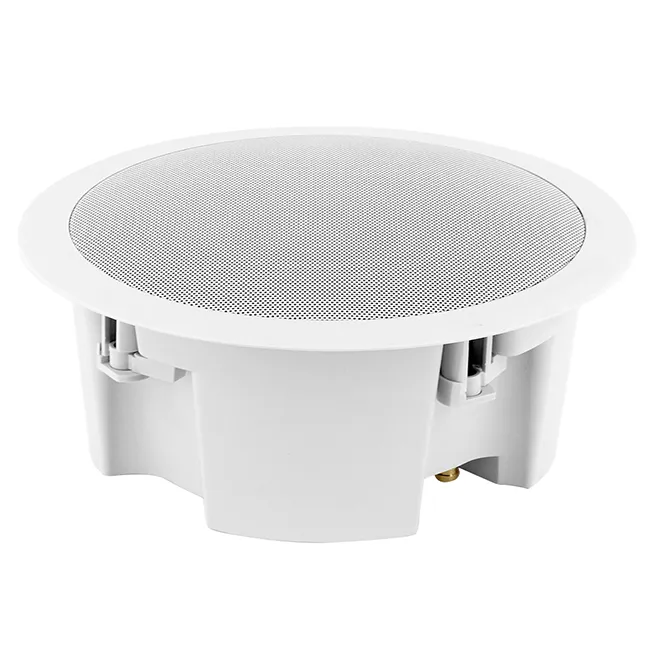
In addition to projection speakers, we also offer a range of other speakers that can be great for live streaming. Check out our Indoor Column Speaker, which is perfect for indoor events and provides clear, high-quality audio. Our Small Wall Speakers are compact and easy to install, making them a great option for small spaces. And if you're looking for a speaker that can be installed in the ceiling, our Ceiling Speaker with Cover is a great choice.
Conclusion
Using a projection speaker for live streaming can be a lot of fun and can really enhance the quality of your streams. By following the tips and tricks I've shared in this blog post, you'll be able to set up your projection speaker correctly and use it to create engaging and professional-looking live streams. If you're interested in purchasing a projection speaker or any of our other speakers, don't hesitate to reach out to us. We'd love to help you find the perfect speaker for your needs and answer any questions you might have.
References
- General knowledge about projection speakers and live streaming.
- Experience as a projection speaker supplier.